
Octolens is a social listening tool for developer and B2B SaaS brands. It monitors mentions across 13+ platforms, including Reddit, X, LinkedIn, Hacker News, GitHub, YouTube, Bluesky, TikTok, podcasts, and newsletters. AI filters out the noise so you only see mentions that matter.Documentation Index
Fetch the complete documentation index at: https://octolens.com/docs/llms.txt
Use this file to discover all available pages before exploring further.
What you can do with Octolens
Track your brand, competitors, and industry terms to find posts like:- Brand love: positive mentions and testimonials about your product
- Buy intent: people searching for tool recommendations in your space
- Product questions: users asking about your product or features
- Competitor complaints: frustrations with competitors you can address
- Pain points: problems your product can help solve
Who it’s for
Founders
Stay close to users as you scale. Catch product feedback, buy intent, and competitor chatter without living in 10 tabs.
Marketing teams
Track brand health, campaign impact, and competitor activity in one place.
DevRel teams
Show up in developer conversations on GitHub, Hacker News, Reddit, and DEV.to. Correct misinformation before it spreads.
What’s in the app
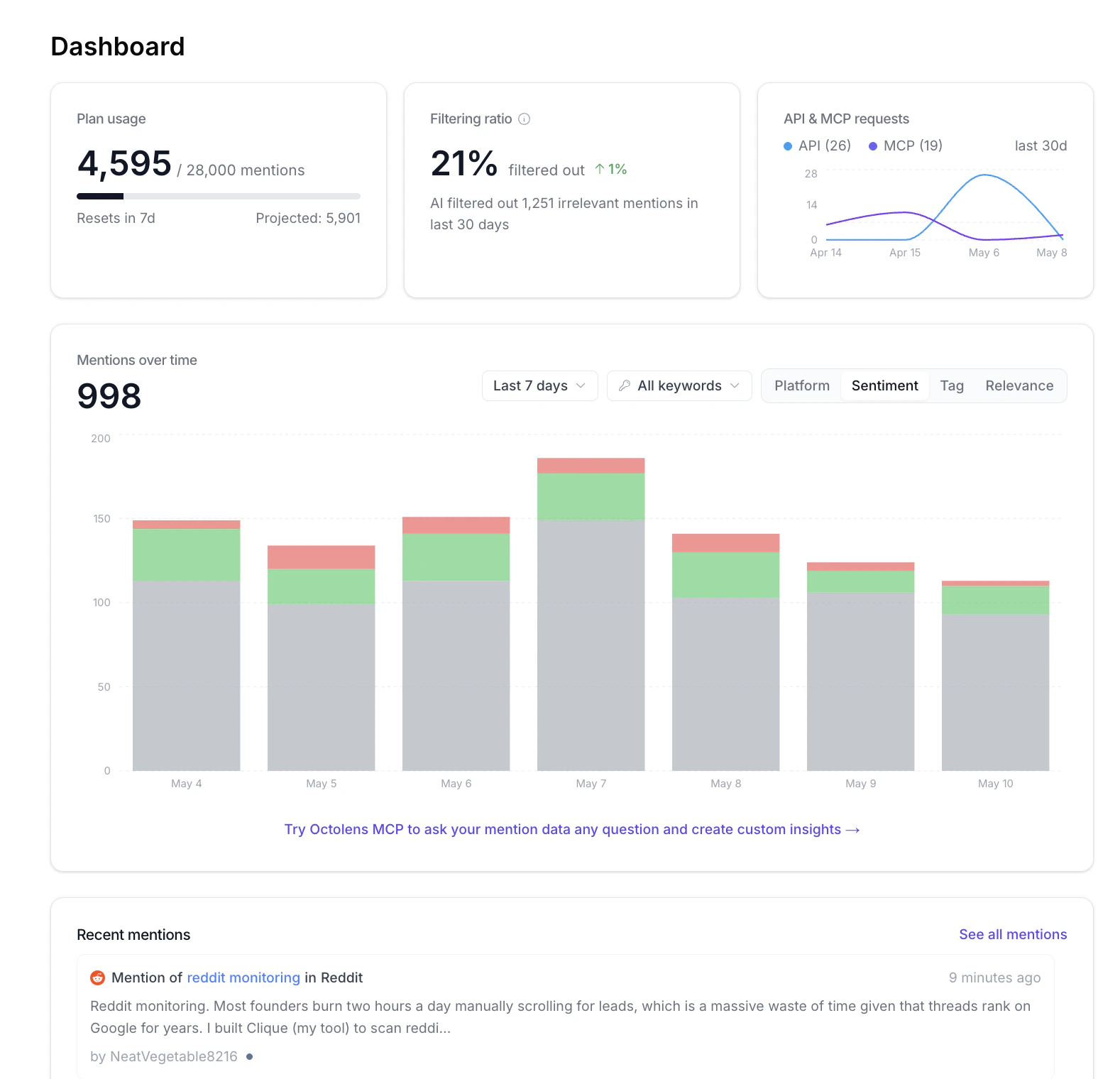
- Dashboard: mentions over time, plan and API/MCP usage, and a recent mentions feed. See Dashboard.
- Keywords: the dedicated page where you add, edit, and tune every keyword you track, plus global keyword settings. See Keywords.
- Feeds: saved filters over your mentions, like Brand Mentions, Competitor Mentions, or Buy Intent. Each feed can be sent to a destination. See Feeds.
- API: generate API keys and use the REST API to query mentions, keywords, and feeds. See API Reference.
- MCP: connect Octolens to Claude, ChatGPT, Cursor, and other AI tools to ask questions of your mention data in natural language. See MCP Server.
- Settings: company context, plans and billing, members, platforms, and the Slack integration.
Getting started
Add your company context
Tell Octolens about your business so the AI can assess mentions accurately. This is the single biggest lever on relevance quality.
Set up company context →
Choose your keywords
Add your brand name, competitors, and industry terms. Start with 3 to 5 keywords. You can always add more.
Choose keywords →
Organize mentions into feeds
Feeds are saved filters over your mentions. Think “Buy intent this week” or “Competitor mentions on Reddit.” Octolens ships with presets like Brand Mentions, Competitor Mentions, and Buy Intent.
Set up feeds →
Send feeds to a destination
Pick where each feed goes: email, Slack, or a webhook. One feed can fan out to all three.
Set up destinations →
Explore the docs
MCP Server
Connect Octolens to Claude, Cursor, ChatGPT, and other AI tools.
API Reference
Query mentions, keywords, and feeds programmatically.
Tracked platforms
Every platform Octolens monitors and how often.
AI Relevance & Tags
How Octolens decides what’s relevant and how tags work.
Dashboard
What every card and chart on the dashboard means.
FAQs
Answers to the most common questions.
Can’t find what you’re looking for? Email hi@octolens.com or use the in-app chat and we’ll get back to you ASAP.